Bowen: A Strategic Guide to Integrating This Decorative Display Font into Your Creative Workflow
In the world of design and branding, typography is often the silent workhorse, setting the tone before a single word is read. While body copy requires neutrality and readability, headlines and logos demand a different kind of presence. This is where Bowen enters the conversation. It is not merely a set of characters; it is a decorative display font engineered specifically to act as the visual anchor of a project. Understanding how to deploy this typeface effectively requires a shift from standard document formatting to a strategic, artistic process.
Understanding the Role of Bowen in Modern Projects
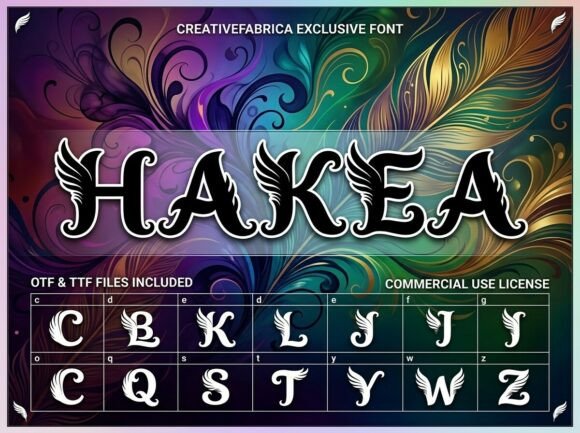
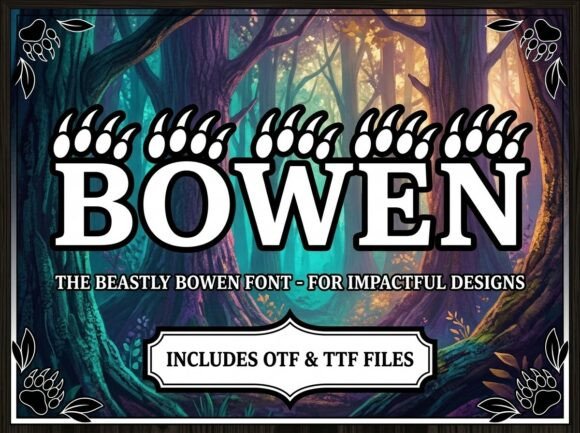
Bowen is designed with a distinct personality—artistic, bold, and unapologetically decorative. However, its utility is governed by a specific constraint: it is an all-caps, uppercase-only typeface. This characteristic dictates exactly where and how it fits into a broader design system. It is not intended for long-form reading or small-scale data entry. Instead, its purpose is high-impact visual communication.
When planning a project, whether it is a new website launch, a product packaging overhaul, or a marketing campaign, you must identify the "hero" elements. These are the components that grab attention immediately. Bowen is optimized for these hero elements. It functions best when used for:
- Bold Headlines: Creating immediate visual hierarchy on posters or landing pages.
- Artistic Logos: Establishing a brand identity that feels unique and hand-crafted.
- Creative Packaging: Ensuring a product stands out on a crowded shelf.
- Decorative Initials: Adding flair to editorial layouts or monograms.
The Pre-Purchase Assessment: Technical Compatibility
Before integrating Bowen into your asset library, a practical assessment of your current toolset is necessary. The font is provided in OTF (OpenType Font) and TTF (TrueType Font) formats.
- OTF Files: If your workflow involves advanced design software such as Adobe Illustrator, InDesign, or Photoshop, the OTF version is your standard. It offers the highest quality rendering and advanced typographic features.
- TTF Files: If you work across mixed environments or require compatibility with older systems and basic word processors, the TTF ensures the font renders correctly on all devices.
Checking your software’s compatibility with these formats prevents workflow bottlenecks later. Most modern creative suites handle these effortlessly, but it is a critical step in the preparation phase.
Strategic Implementation: Before and During the Design Process
Integrating a display font like Bowen is rarely a last-minute decision; it is a foundational choice that influences the rest of the design ecosystem. Because the font has a "strong visual personality," it acts as a primary decision-maker regarding color palettes, imagery, and layout density.
Phase 1: Establishing the Visual Hierarchy
When you begin a new layout, the first step is usually wireframing. This is the ideal moment to introduce Bowen. By placing this font in your headline slots early on, you can gauge how much "visual weight" the page will carry.
Because the font is all-caps, it occupies a significant amount of vertical and horizontal space. In your planning phase, ensure that your layout accommodates this. For example, if you are designing a brochure, you may need to allocate more whitespace around a Bowen headline than you would for a standard serif font to prevent the design from feeling cluttered.
Phase 2: Pairing and Contrast
A common mistake with decorative fonts is pairing them with other complex styles. Since Bowen is designed to be the center of attention, it requires a "supporting actor" for body text. The interaction between Bowen and your secondary font is crucial for readability.
Consider the following workflow for font pairing:
- The Contrast Rule: If Bowen has a modern, geometric feel, pair it with a traditional serif for body text. If it feels organic and artistic, a clean sans-serif will provide necessary structure.
- The Hierarchy Gap: Never use Bowen for sub-headers. The jump from a decorative all-caps headline to a standard body copy should be distinct. This prevents visual fatigue.
Workflow Integration: From Concept to Final Execution
Let’s look at how Bowen interacts with other resources during a specific workflow, such as creating a brand identity for a small business owner or freelancer.
Logo Design and Scalability
When using Bowen for a logo, the process involves more than just typing out a company name. You must test the font at various scales. A logo must work on a massive billboard and a tiny mobile favicon.
Implementation Tip: Convert the Bowen text to outlines (vectors) once you are satisfied with the letterforms. This allows you to manipulate the kerning (spacing between letters) manually. Because the font is decorative, the default spacing might need adjustment to look balanced in a logo lockup.
Packaging and Marketing Collateral
For entrepreneurs and small business owners, packaging is often the first physical touchpoint with a customer. Bowen excels here, but it requires careful management of the "information hierarchy."
- Primary Info: Use Bowen for the product name or the core value proposition (e.g., "PREMIUM BLEND").
- Secondary Info: Use a legible, standard font for ingredients, instructions, or legal disclaimers.
- Quality Control: Print a test copy. Screen rendering differs from print. Ensure the artistic details of the font do not bleed or look muddy on your chosen packaging material.
Long-Term Usability and Organization
For productivity-minded users—marketers, educators, and publishers—asset management is key. Installing a font is easy; organizing it for future use is where efficiency lies.
Since Bowen is a specialized tool, it should be categorized in your font manager (or operating system) under "Display" or "Headline" rather than "General Use." This prevents you from accidentally applying it to an email newsletter or a 50-page report, where it would hinder readability.
Furthermore, document your usage guidelines if you are part of a team. Create a simple style guide that specifies:
- Bowen is for H1 and H2 headings only.
- Minimum font size for legibility (display fonts often lose detail below 24pt).
- Approved color combinations that complement the font's artistic flair.
Conclusion: The Professional Polish
Ultimately, Bowen is a tool for distinction. It is for the creator who wants to break away from the ordinary, standard system fonts that populate the digital landscape. By treating this font as a strategic asset rather than just a file to be installed, you ensure that your projects maintain a professional, polished finish. Whether you are finalizing a logo, laying out a magazine cover, or designing a poster, the disciplined application of Bowen transforms standard text into a visual statement.